Case Study · SaaS Product Design
Bounty
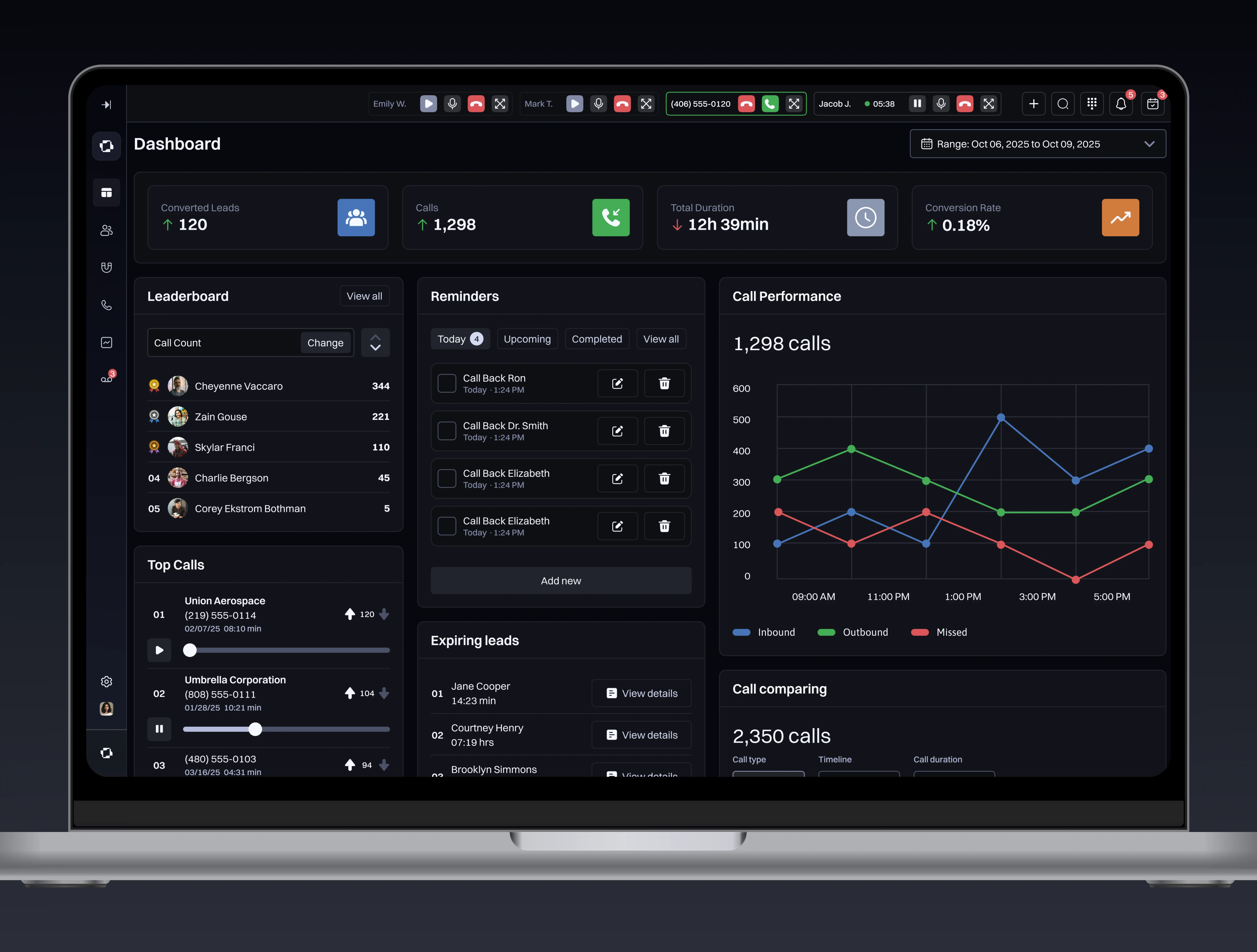
A dark-mode CRM built for sales teams who live on the phone. Unified call management, deal tracking, and team performance in a single focused workspace that keeps the conversation at the center.

Build the workspace around the call.
Most CRMs were built as databases with calling bolted on. Bounty flips that priority. The active call is the center of the workspace, and every piece of context surfaces around it. The goal was to reduce the distance between talking to a lead and recording what mattered, from 6 steps to 2.
Rethinking the Sales Workspace
Bounty was designed for sales teams who spend 6 or more hours a day on the phone. The core insight: existing CRMs create friction between the conversation and the record. Every decision aimed to collapse that gap and keep reps in flow.
Understanding What Slows Sales Teams Down
We interviewed 14 sales reps and 6 managers across B2B organizations before sketching a single screen. Tab switching, note lag, and call logging were the top friction points. The CRM itself was not the enemy; the workflow around it was.
What the Market Gets Wrong
Salesforce and HubSpot dominate the market but were not built for teams that live on calls. Dark mode, real-time call UI, and unified analytics are consistently absent from the incumbents.
| Platform | Integrated Calling | Dark Mode | Real-time Call UI | Performance Analytics | Mobile Parity |
|---|---|---|---|---|---|
| Salesforce | Partial | No | No | Yes | Partial |
| HubSpot | Yes | No | Partial | Yes | Yes |
| Pipedrive | Partial | No | No | Partial | Yes |
| Close.io | Yes | No | Yes | Partial | Partial |
| Bounty | Yes | Yes | Yes | Yes | Partial |
Who Depends on a CRM
Four segments emerged with distinct needs and friction points. SDRs needed speed; AEs needed context; managers needed visibility; ops teams needed configurability.
22-30. 80+ calls a day. Need fast logging, quick context, and zero friction between calls.
28-40. Complex deals, longer cycles. Need full customer history visible during every call.
30-50. Need live team performance data without interrupting their reps to ask for it.
Setup, integrations, reporting. Need flexibility and audit trails without custom code.
The People the System Must Serve
Three archetypes from 20 user interviews across sales teams in B2B SaaS and financial services. Each represents a distinct relationship with the CRM and a distinct failure mode of current tools.
The Call Workflow Before Bounty
The current workflow fragments the sales rep's attention across multiple tools. Bounty was designed to collapse steps 2 through 5 into a single unified moment.
- Step 01Prepare: Find the lead recordRep searches the CRM for the contact before dialing. Often involves multiple filters and manual navigation through cluttered interfaces.Focused
- Step 02Dial: Leave the CRM entirelyTo initiate a call, reps switch to a separate dialer app or phone system. The CRM record stays open in another tab, out of sight and often forgotten.Fragmented
- Step 03Talk: Notes live in a third appDuring the conversation, the rep takes notes in a text editor, email draft, or sticky note. The CRM is minimized. Context is borrowed from memory.Scattered
- Step 04Log: Reconstruct the call from memoryAfter hanging up, the rep returns to the CRM and manually enters a summary. The longer the gap, the less accurate the log. Rushed reps skip it entirely.Frustrated
- Step 05Follow-up: Manual calendar or stickyReps set follow-ups in a calendar app or phone reminder. No link back to the lead. Tasks fall through the cracks during high-volume days.Anxious
- Step 06Bounty: One view for all of itBounty unifies lead context, the active dialer, live note capture, and one-tap follow-up scheduling into a single workspace. No tab switching. No reconstruction.In control
What the System Must Deliver
Six stories from persona research and journey mapping, defining the feature scope for Bounty's first version. Each story names a specific person, a specific context, and a specific outcome.
- US-01 As an SDR, I want to log a call outcome in one tap after hanging up, so I can stay in rhythm without breaking my pace between dials.
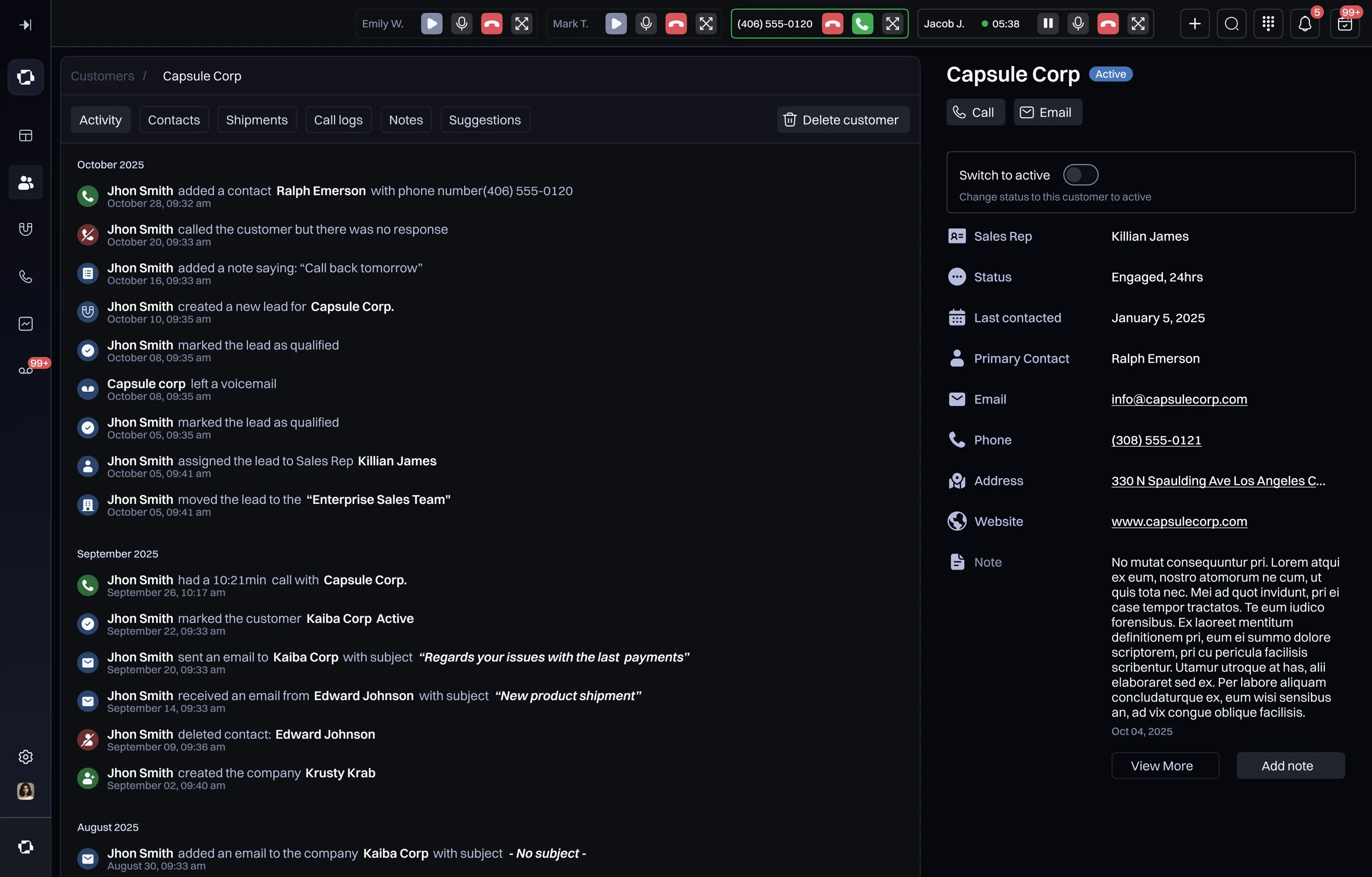
- US-02 As an account executive, I want to see a customer's full activity history the moment I answer their call, so I am never caught without context mid-conversation.
- US-03 As a sales manager, I want a real-time leaderboard of my team's call volume and conversion rate, so I can identify coaching moments without waiting for the weekly review.
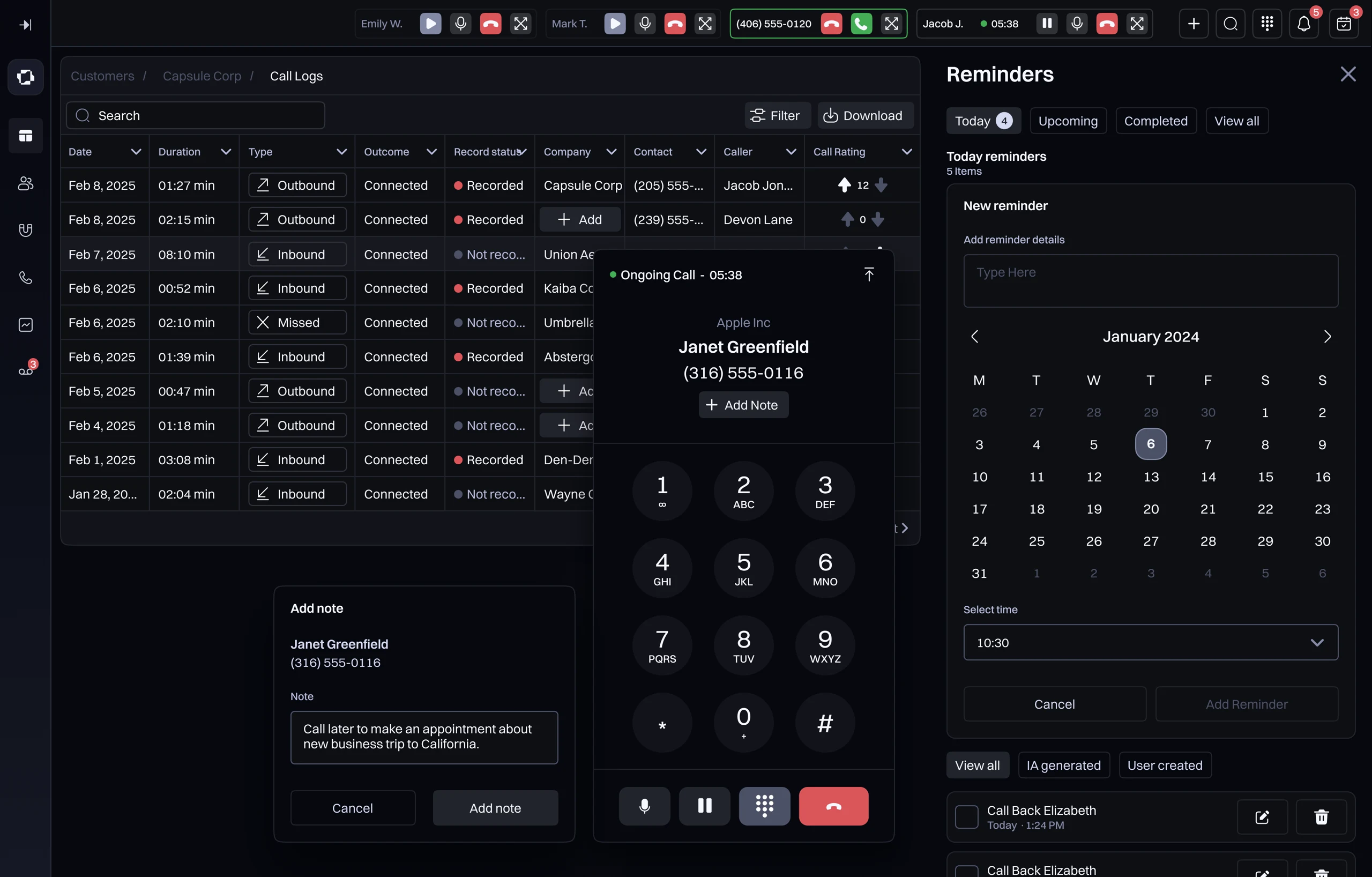
- US-04 As a sales rep, I want a built-in dialer that never takes me out of the CRM interface, so I keep full context on every call without switching tools.
- US-05 As any rep or manager, I want smart reminders tied to lead status and last contact date, so no follow-up slips through the cracks on a high-volume day.
- US-06 As a team lead, I want call recordings and notes auto-linked to the lead record, so onboarding a new rep does not depend on tribal knowledge.
A System Built for Focus
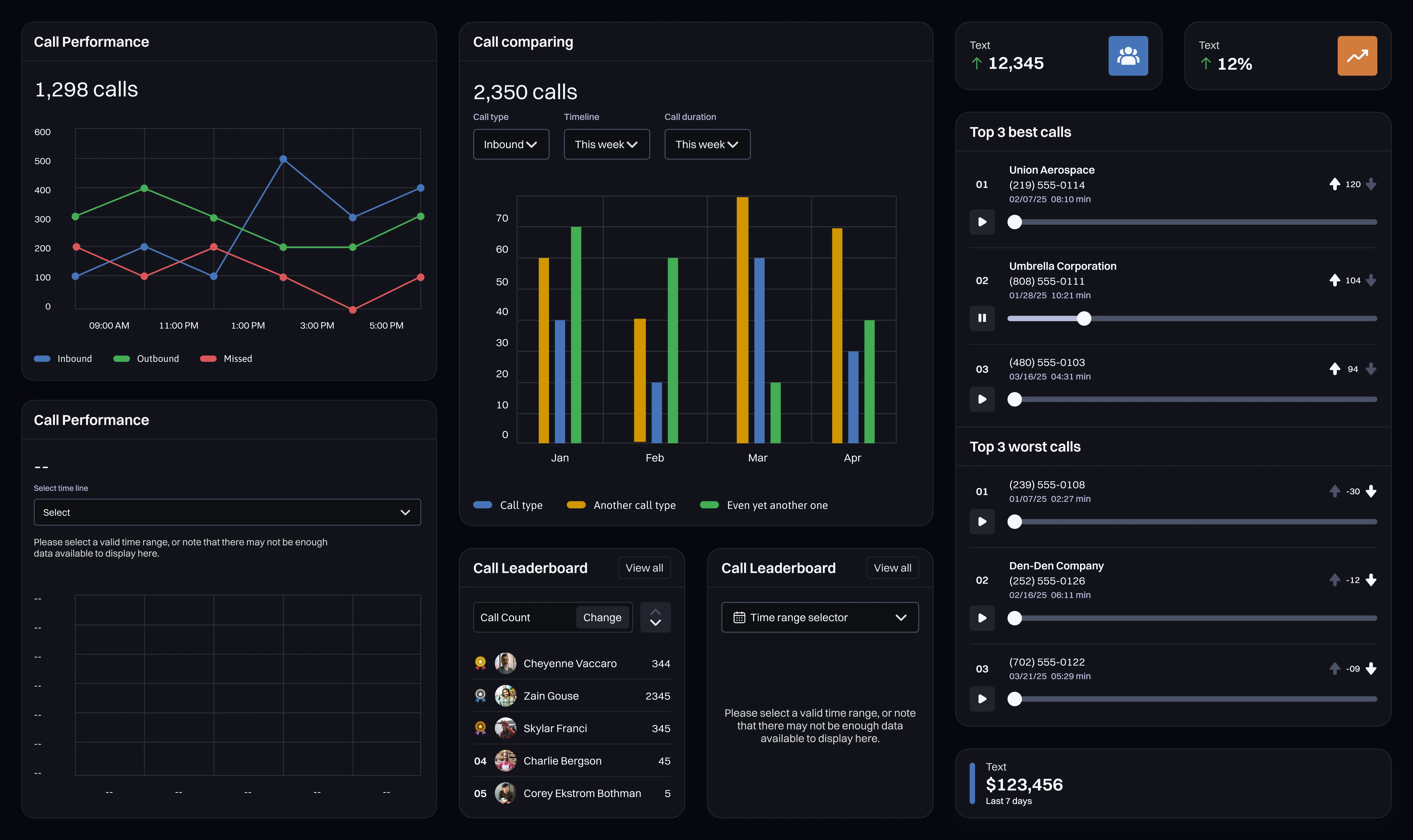
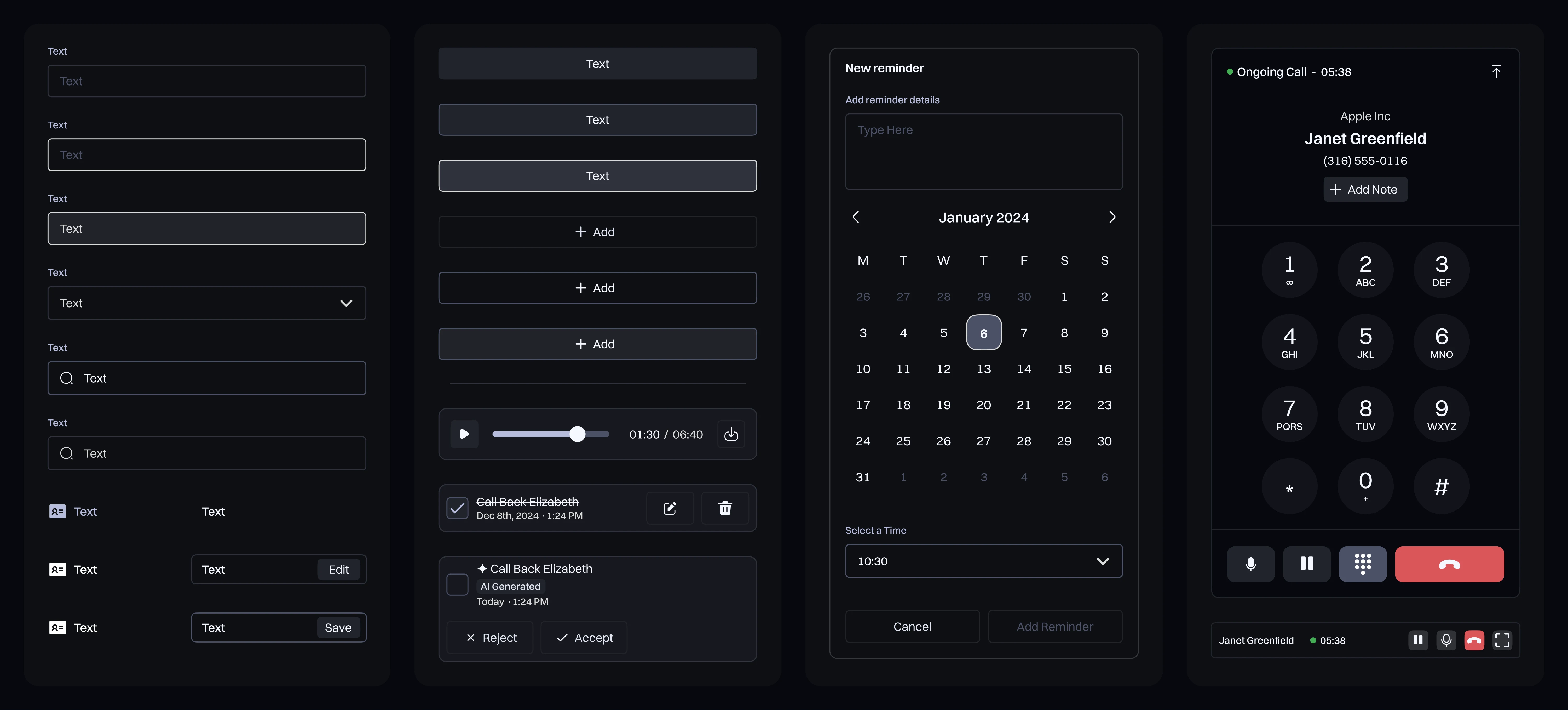
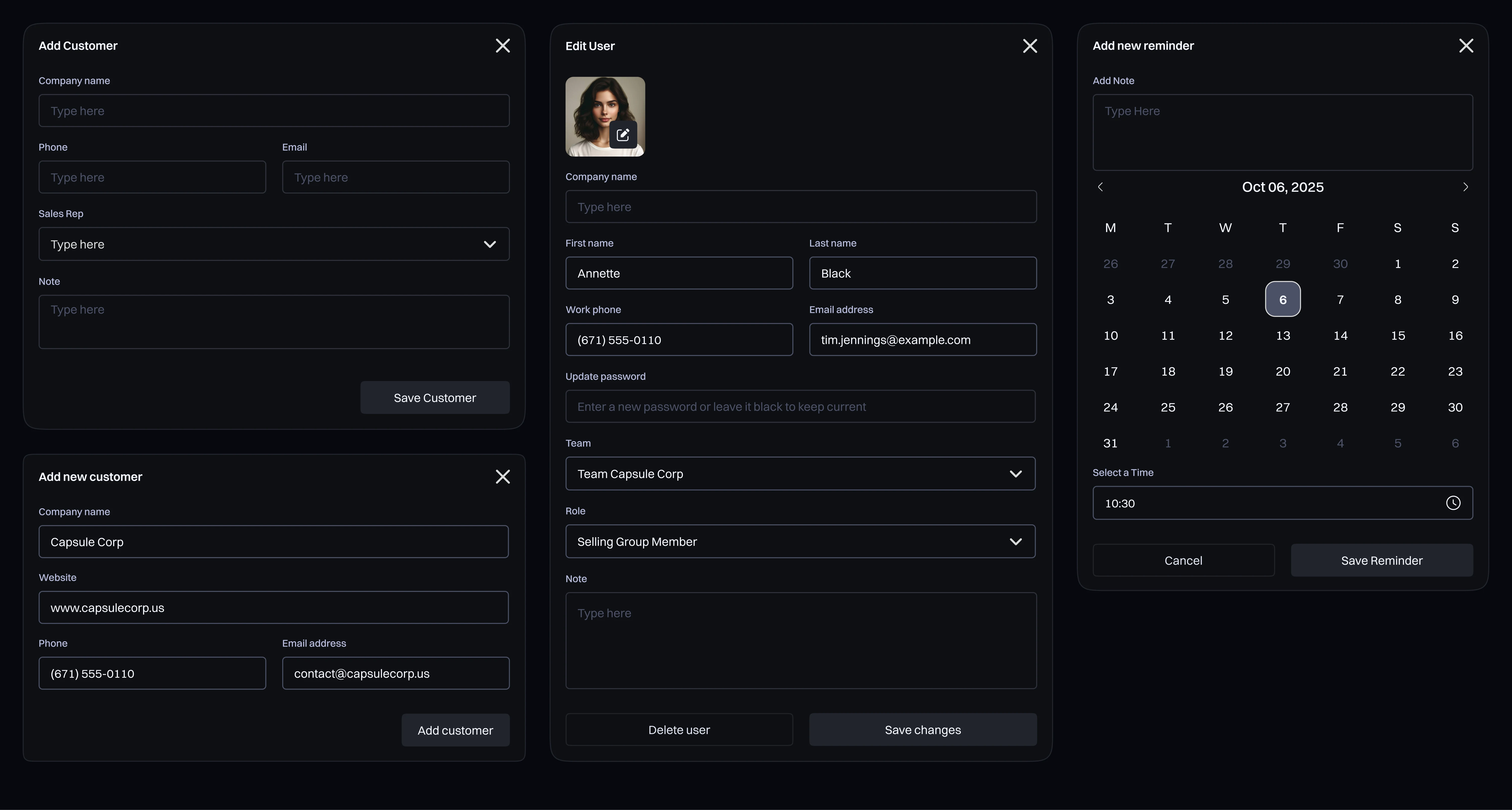
The dark UI is functional, not just aesthetic. Sales reps use these tools for 8 or more hours a day. A high-contrast dark system reduces eye fatigue while keeping critical data legible at a glance, across call queues, dashboards, and customer records.
Where We Landed
The final system keeps the active call permanently in view, surfaces the most relevant lead data automatically, and reduces the steps to log an interaction from 6 to 2. Team visibility went from a weekly report to a live dashboard.

Your product,
built right.
Bounty showed that a category dominated by legacy tools still has room for design that puts the user's workflow first. If you're building software where focus and clarity are the product, let's talk.